Feature Guide · Resident
Your permit and your car.
Nothing else in the way.
The resident experience is a focused mobile parking surface. It shows the holder's arrangements, vehicles, current valet visit, retrieval progress, and activity without exposing the property's administration work.
Two mobile experiences
The app is for valets and residents. Partners work on the web.
Valletto's mobile routing has two active experiences: valet and resident. A hotel, building, or restaurant team administers its relationship through the partner web portal. That distinction matters: a person with only partner access may correctly see an empty My Parking screen in the app.
What it is
My Parking is the resident's own view across their Valletto relationships. A property card can show permit coverage, saved vehicles, an already-existing guest-linked pass, and visit activity. When a vehicle is currently parked, the resident can request it and follow the live retrieval state. Paid visits can retain an itemized receipt and payment status.
Who uses it
Resident
The permit holder
Sees their own parking relationship, vehicles, activity, and any live valet visit.
Authorized holder
The vehicle holder
Sees the vehicles already connected to their current parking relationships.
Valet
The curb counterpart
Checks the vehicle in and advances its operational state in the separate valet experience.
The setup order
The property or operator first creates the arrangement and establishes eligibility. The resident verifies their own identity, completes any required activation or payment, and receives a permit for the vehicle. Some first-visit flows begin with a valet registering the vehicle at check-in, so an eligible person can legitimately see “No Passes Yet” before their first car is attached.
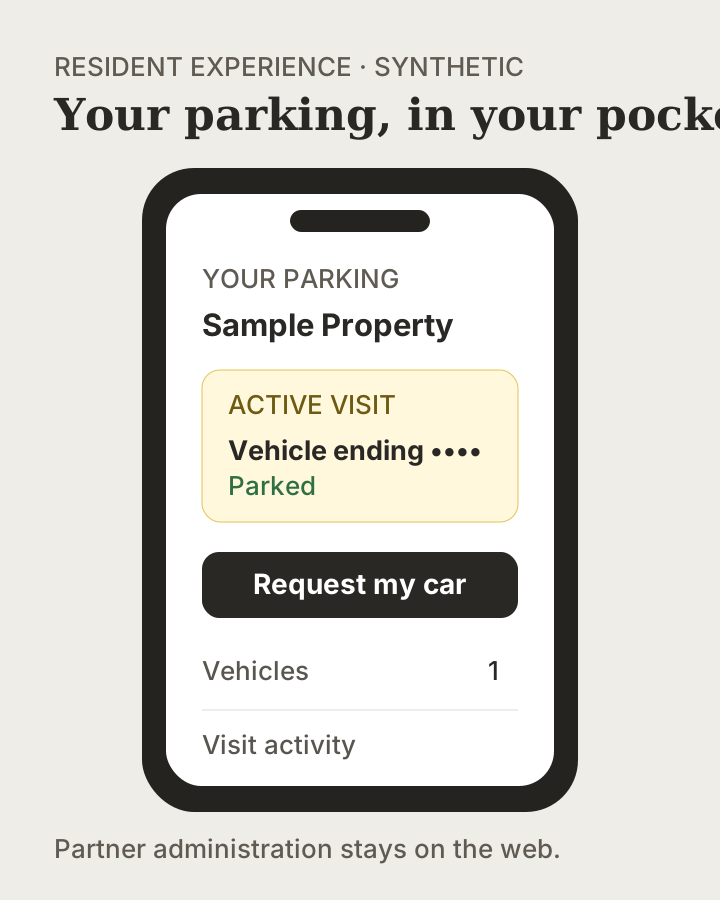
→The property name, plate, and activity are synthetic. The composition follows the current My Parking, live visit, and retrieval surfaces.
The daily loop
The resident arrives and the valet checks in the car. My Parking then reflects the active visit. When it is time to leave, the resident opens that visit, reviews any quote if money is due, and requests the car. If the visit is already covered, the request can proceed without a payment surface. The live tracker follows the handoff until the car is returned.
The edge cases
The resident may have coverage but no vehicle yet. Resident guest sponsorship is not part of the current product; a legacy or already-existing guest-linked pass may appear read-only, while a new guest otherwise receives an ordinary guest session. A payment-required request can stop at the quote or payment step rather than moving the car for free. An empty My Parking screen can mean the authenticated person has no resident relationship; it is not evidence that partner access failed.
What it deliberately does not do
The mobile resident experience does not administer a property's team, integrations, arrival roster, statement, or validation policy. It also does not currently provide a full subscription-management center. Partner and billing administration remain with the relevant web and support workflows.
What it connects to
My Parking connects the resident's authenticated identity to stays, permits, vehicles, existing guest-linked passes, active sessions, retrieval status, and receipts. The resident sees only their side of those records; the valet and partner each have separate, purpose-built views of the same underlying operation.
Next guide
Understand what creates the coverage.
Permits and Vehicle Passes separate the right to park from the issued coverage attached to a particular car.
Concrete next step: test the resident journey with a synthetic eligible person before sending real invitations.
