Feature Guide · Guided Check-In
The half minute that
decides the ticket.
Everything downstream begins with what the valet can recognize at the curb. The current flow keeps the car central, lets identity arrive from several directions, and refuses to turn optional detail into a queue.
What it is
A three-lane curbside composer: Car, Guest, and Phone.
Each lane expands from the same surface and collapses after it resolves. Car is the required operational artifact; guest and phone add recognition and a communication channel when the moment allows.
The design follows the product's operating rule: start with the smallest useful state, reveal only the lane being worked, resolve what the system already knows, then collapse.
Who uses it
The valet owns the intake; the guest should not have to learn the software while handing over a car.
Valet
Captures what is knowable now
The composer keeps Car, Guest, and Phone as peer lanes that expand in place and collapse back into a concise summary.
Manager
Receives a complete enough session
The result appears on the board with its stand, car identity, ticket, guest channel, and condition context when available.
The setup order
The current iOS flow is not a rigid wizard: the lanes can be entered in the order the curb gives you.
Phone
A soft-required guest channel
A number can be formatted, matched, or skipped when the interaction cannot wait; it is not the identity of the car.
Car · required
Scan or enter the plate, then capture the vehicle
Plate recognition seeds the car lane. The valet can correct it, attach the current car image, and bind a physical ticket.
Guest · optional
Recognize a stay or add what is known
A matched guest can prefill the car and phone. A name or visiting host can also be added without making them prerequisites for every arrival.
The daily loop
Each resolved lane collapses, leaving one obvious Check in action.
Recognize
One input can resolve several facts
A plate can find a permit; a guest can reveal their permitted cars; a matched guest can supply the phone channel.
Review
The car remains the anchor
Changing a guest or plate deliberately breaks any stale permit binding so the session cannot silently inherit the wrong vehicle.
Commit
One check-in creates one board record
The primary action is disabled while committing, and ticket attachment is shown as its own step when it needs extra time.
The edge cases
The curb rarely supplies clean information in a clean order.
Guest in a hurry
Capture now, enrich later
The car is the required artifact. Guest details and phone can be added when available instead of blocking the physical handoff.
Duplicate car
An open-session conflict is surfaced
When the scanned plate already belongs to an open session, the flow presents that session rather than quietly creating another.
Poor signal
A failed commit remains a draft, not a success
The interface keeps the captured work and shows the failure. It does not claim offline completion or invent a server record.
What it deliberately does not do
Speed comes from resolution, not from pretending the work happened.
No timing promise
Thirty seconds is the design problem, not a guarantee
Actual time depends on the guest, the vehicle, the ticket mode, condition capture, and connectivity.
No forced completeness
A session is not a customer database form
The flow asks for the minimum needed at the curb and keeps optional enrichment from competing with the check-in.
What it connects to
Almost every downstream feature reads what this moment captured.
Board
Status and dispatch
The committed session becomes the live ticket the team parks, requests, retrieves, and closes.
Condition
Damage context
The current walk-around and any observed marks attach to the same session before parking.
Money and disputes
Pricing, payment, and evidence
Stand, timing, car, ticket, guest channel, and condition records explain the later charge and any dispute record.
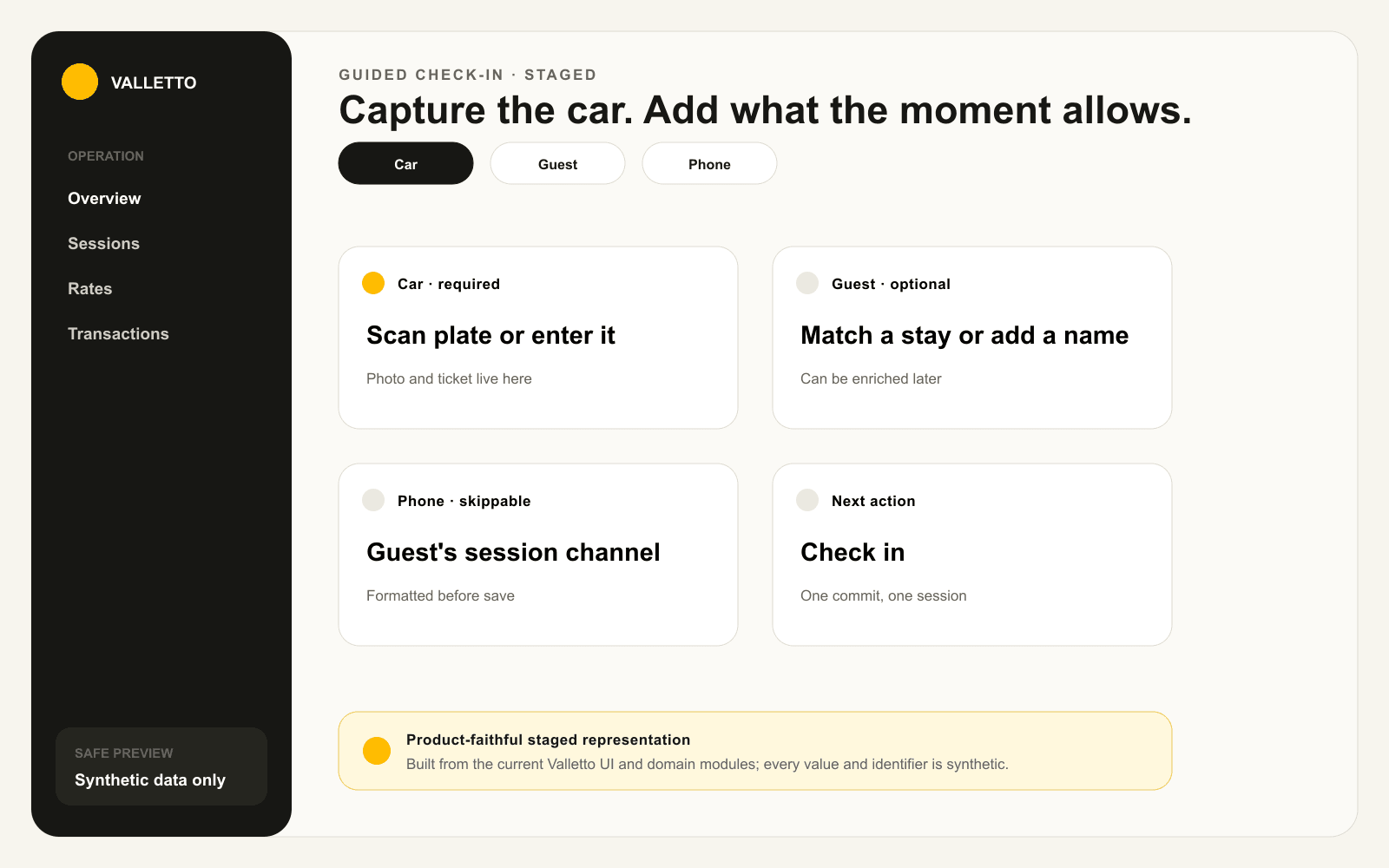
→Illustrative check-in screen. No timing claim or real guest, plate, phone, ticket, or location data is shown.
The practical result
The curb stays fast because the system resolves more than it asks.
One plate or guest match can fill several facts, while the car remains the only thing the operation cannot proceed without.
Next: see how the walk-around becomes part of the same session record.
