Feature Guide · Notifications
Reach the right person.
Then stop.
A useful notification names its audience and whether it matters on the floor or away from work. Without that distinction, every phone eventually gets muted.
What it is
An audience, preference, and delivery-context decision for every notification type.
Valletto distinguishes operational floor traffic from schedule and account changes that remain relevant off shift. Clock-out suppresses the first group, not the second.
Categories give people recognizable control, while notification taps return to the session, schedule, request, or account state that caused them.
Who uses it
A notification starts with whose next action it can change.
Valet
Operational traffic while working
Requests, check-ins, ready cars, and assignments belong to the people and stands doing the shift.
Manager or employee
Away-relevant changes
Schedule and account events may matter before the next clock-in and are not automatically muted with floor traffic.
Guest
Visit-specific status
Guest messages describe the current session without creating a permanent employee-style inbox.
The setup order
Permission, category preference, delivery context, then destination.
1 · Permission
The operating system must allow notifications
Valletto explains why access matters and reflects when device permission is disabled.
2 · Preference
Choose categories
Settings group My vehicle, Operations, Schedule, and Account rather than exposing implementation event names.
3 · Context
Classify on-shift versus away-relevant
The shared delivery-context table decides whether clock state should suppress the type.
The daily loop
Delivery is filtered before a banner becomes noise.
Audience
Resolve the people connected to the event
Company, stand, role, assignment, session relationship, and notification preference narrow recipients.
Context
Suppress floor traffic off shift
Operational events should not wake a person who is not participating in the current floor.
Route
A tap opens the relevant place
Supported notification types map to session, schedule, request, or account destinations rather than a generic home screen.
The edge cases
Clock-out is a filter, not a master mute.
Off shift
Operational traffic stops
Car and stand events that matter only to the live floor are suppressed for somebody no longer working.
Schedule changed
Away-relevant alerts can still arrive
The information may change whether a person comes to work, so muting it at clock-out would be a regression.
Unknown or duplicate
Do not create repeated work
Clients deduplicate supported messages and route only types they understand.
What it deliberately does not do
Notification volume is not treated as engagement.
No broadcast by default
Every type needs an audience
A company event is not automatically a reason to notify every member.
No clock-out blackout
Relevant information remains reachable
The system distinguishes live-floor interruption from changes a person needs before their next shift.
What it connects to
Notifications are doors back into work already represented elsewhere.
Sessions
Requests, assignments, and ready states
Operational notifications reflect the live session board.
Schedule
Published work and changes
Away-relevant delivery returns the person to the schedule or request that changed.
Settings
Category-level control
The app describes what each category means so a person can reduce noise without disabling every useful alert.
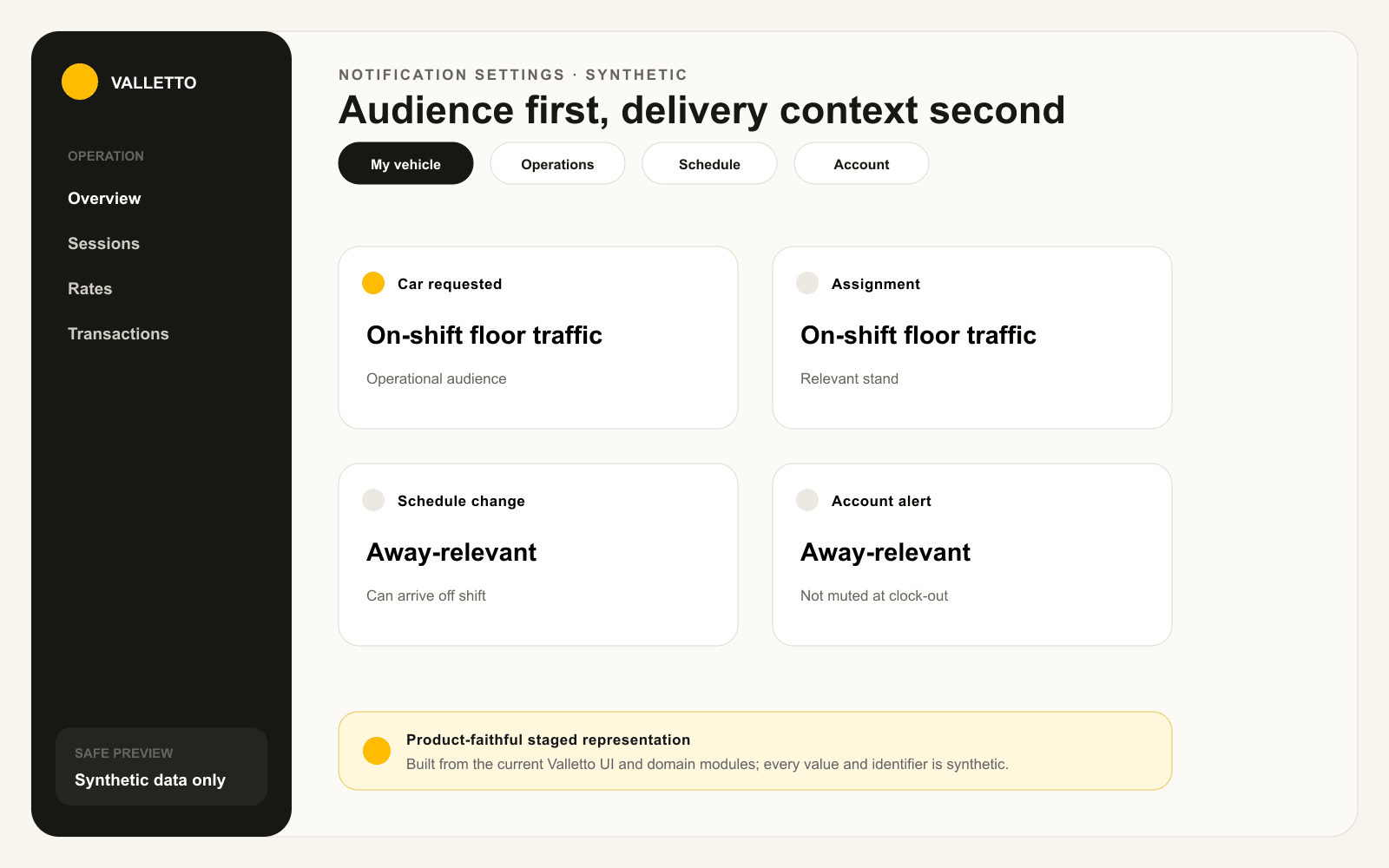
→Staged from the shared notification categories and delivery-context model. It includes no real employee, guest, schedule, or session.
Where Valletto changes the math
The best notification policy is selective by design.
The phone stays useful when live-floor noise ends with the shift and away-relevant changes still get through.
Next: see how a property partner applies a validation without entering the valet operation.
