Feature Guide · Guest Return
Three ways in.
One session.
A link, a QR, and a recovered ticket all resolve to the same visit - without asking a one-time guest to install an app or create an account.
What it is
A visit-specific web journey for payment, request, and live pickup status.
The ordinary path is the link delivered at check-in. QR and ticket lookup are recovery doors into the same controlled session, not separate ticket systems.
The guest acts explicitly, and the page follows the team's requested, retrieving, and ready states.
Who uses it
A one-time guest gets a direct path; the stand retains a fallback for everyone else.
Guest
Open the session without an account
The text link lands on the visit's payment, request, and live-status surface in the browser.
Stand
Offer QR or ticket lookup when the link is gone
A stand view can present a session QR, while ticket lookup resolves a lost link through a bounded verification flow.
The setup order
The session link is created with the ticket; the alternatives resolve back to it.
1 · Check in
Create the guest-facing session link
The intake supplies the session, venue-facing place name, car context, and guest communication channel when available.
2 · Deliver
Send a link or present a QR
The guest opens a web surface. Nothing needs to be installed and no reusable account is required.
3 · Recover
Use ticket lookup when the original path is lost
The guest enters the ticket and confirms a vehicle choice before a fresh session link is returned.
The daily loop
Request and status stay on one page.
Request
The guest explicitly asks for the car
The session becomes requested because a person acted, not because the phone entered a geofence.
Track
Requested → Retrieving → Ready
The live view reflects the same server session the team is moving on the board.
Meet
Ready names the handoff point
The page directs the guest to the stand or pickup context available for the session.
The edge cases
Recovery avoids turning a printed number into an unlimited search tool.
Lost link
Ticket plus vehicle verification
Lookup returns limited vehicle choices and a short-lived token; wrong selections reduce the remaining attempts and can lock the flow.
No phone
The physical ticket and valet remain valid
A phone-free guest can present the ticket to the stand. Digital convenience does not invalidate the human handoff.
Expired link
Ask the operator for a new route
An expired or missing live link shows a closed state instead of leaking an old session.
What it deliberately does not do
The recovery path is intentionally not documented as a fraud recipe.
No app
There is nothing to download
The guest journey is browser-based and visit-specific.
No public record
A ticket number alone does not expose a session
Verification, attempt limits, expiration, and server-issued links keep lookup from becoming an open directory.
What it connects to
The guest page is a controlled window into the operating record.
Board
The request enters dispatch
A valid request changes the shared session the valet team already sees.
Payment
Pay, tip, and request can share the visit
The guest can settle from their phone before or alongside requesting, according to the session's configuration.
Notifications
Status changes can reach the guest
Guest communication follows the session channel and notification settings rather than a permanent app inbox.
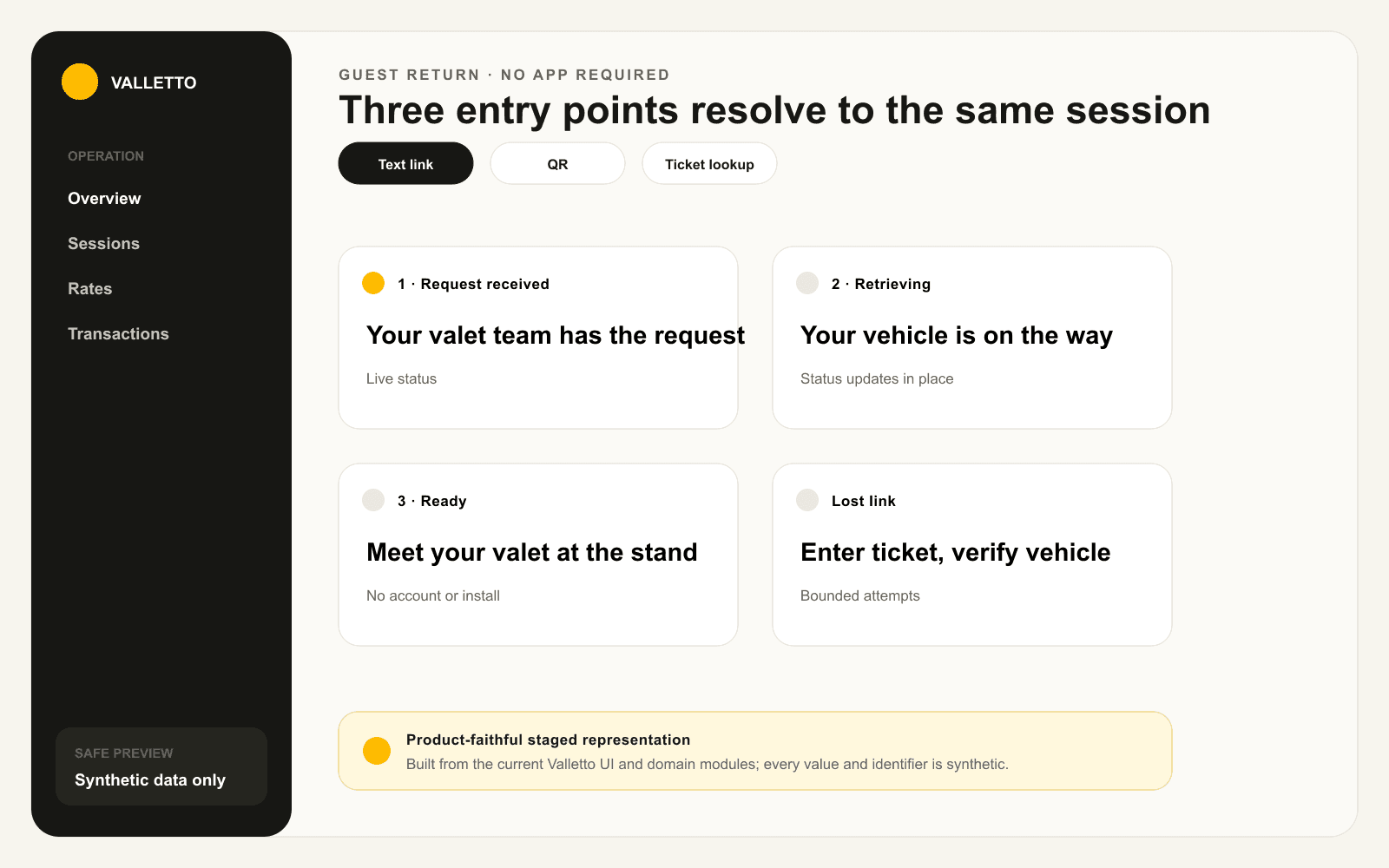
→Staged from current Valletto Pay live-status and ticket-lookup components; identifiers are synthetic and the verification details are intentionally limited.
Where Valletto changes the math
The guest needs a way back, not a new relationship with an app.
Each entry point is temporary, visit-specific, and tied to the session the team already operates.
Next: follow how that same visit takes payment at the curb.
