Feature Guide · Partner Portal
The property gets
its own operating view.
A hotel, residential building, restaurant, or venue is not a spectator in Valletto. It is a scoped counterparty with its own parking activity, arrangements, billing, validations, integrations, and portal team.
The short version
One portal, bounded to the property relationship.
The partner portal answers three daily questions: what is happening at this property, what needs attention, and what belongs on the current statement. It does not open the valet operator's entire company to the property.
What it is
Property-facingThe portal is the partner side of the shared operation. Its Overview shows a compact pulse: current-period activity, cars presently with valet, arrivals due today, and exception cards only when something needs attention. Parking brings the property's stays, arrivals, reservations, and active arrangements into one working surface.
Billing presents the period statement and its underlying activity. Validations handles the discounts or coverage the property is allowed to grant. Settings holds the property's portal team, stay arrangements, integrations, and account details.
Who uses it
Hotel
Front desk and finance
Review arrivals, folio-related exceptions, current activity, and period billing.
Residential
Property management
Manage resident arrangements, permits, vehicles, guests, and the people who administer them.
Restaurant or venue
Operations team
See live parking activity, apply authorized validations, and reconcile the property relationship.
The setup order
Start with the partner account and invite only the people who need portal access. Define the stay or parking arrangement next: who is eligible, where it applies, and who pays. Then connect the relevant arrival source, validation policy, and billing or payout setup. The screens become useful because those decisions are already explicit.
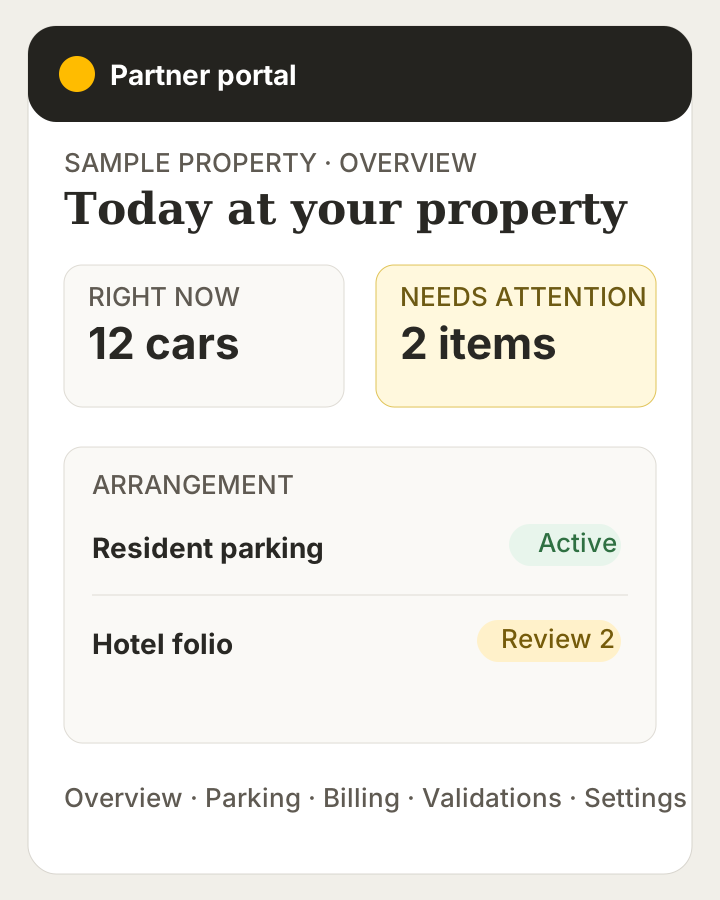
→Product-faithful staged view based on the live partner routes and dashboard modules. Every name and figure is synthetic.
The daily loop
A partner opens Overview for the pulse, moves to Parking when an arrival or active stay needs work, and visits Billing when the period statement needs review. The “Needs attention” area is intentionally exceptional: an overdue statement, an uncovered arrival, an overstay, a posting that may need reversal, or missing payment setup can surface there without turning every normal event into an alarm.
The edge cases
Not every property uses every module. A restaurant may care about validations but have no resident roster. A building may live in permits and vehicles but never import hotel arrivals. A hotel may have a reservation feed whose exceptions need human review. The portal follows the arrangements that actually exist for that partner.
Archived or inactive arrangements should be treated as history, not as a source for new parking activity. A missing card or incomplete payout setup can also block the related money flow while leaving the rest of the portal readable.
What it deliberately does not do
The portal does not reveal the operator's company-wide employee roster, unrelated locations, unrelated partners, or platform-wide financials. It is also not the security boundary by itself. The product's data rules enforce partner and arrangement scope even if someone attempts to bypass the visible navigation.
What it connects to
Partner parking connects to stays, permits, reservations, active valet sessions, validations, and period billing. Settings connects the people allowed to administer that relationship and the arrival sources that feed it. The operator works the curb; the partner sees and manages the part of that operation it owns.
Next guide
Give the property system an address.
The Reservation Inbox turns a proven nightly file into a repeatable arrival feed without asking the property to replace its PMS.
Concrete next step: identify one partner arrangement and the smallest portal team that should administer it.
