Feature Guide · Website & Leads
Publish the promise.
Work the response.
Valletto gives an operator a hosted, branded public site and keeps the resulting proposal inquiries close to the operating console. The page earns attention; the lead record turns it into follow-up.
One connected loop
The website is not a brochure stranded from the business.
The editor controls the public story, the Request Proposal form captures a qualified inquiry, and the Leads view gives the operator a place to search, update status, add notes, and archive completed work.
What it is
The Website Editor is a structured page builder with a live preview, section outline, visibility and ordering controls, brand settings, and explicit Save and Publish actions. Core sections include Hero, Services, Values, Customers, Trusted By, Team, Testimonials, FAQ, and Contact. Custom text, highlights, quote, call-to-action, and stats blocks can extend the story.
Who uses it
Owner or marketer
Shapes the public story
Edits positioning, proof, services, team, FAQs, and the proposal call to action.
Prospect
Requests a proposal
Submits contact information plus optional business and opportunity details.
Sales or leadership
Works the lead
Searches, changes status, records notes, edits details, and archives completed inquiries.
The setup order
Establish the site slug and brand first. Write the hero and services, then add only the proof the operator can substantiate. Configure the contact section and preview the entire page at narrow and wide widths. Save the draft, publish intentionally, and submit a synthetic proposal request to confirm it appears in Leads before sharing the URL.
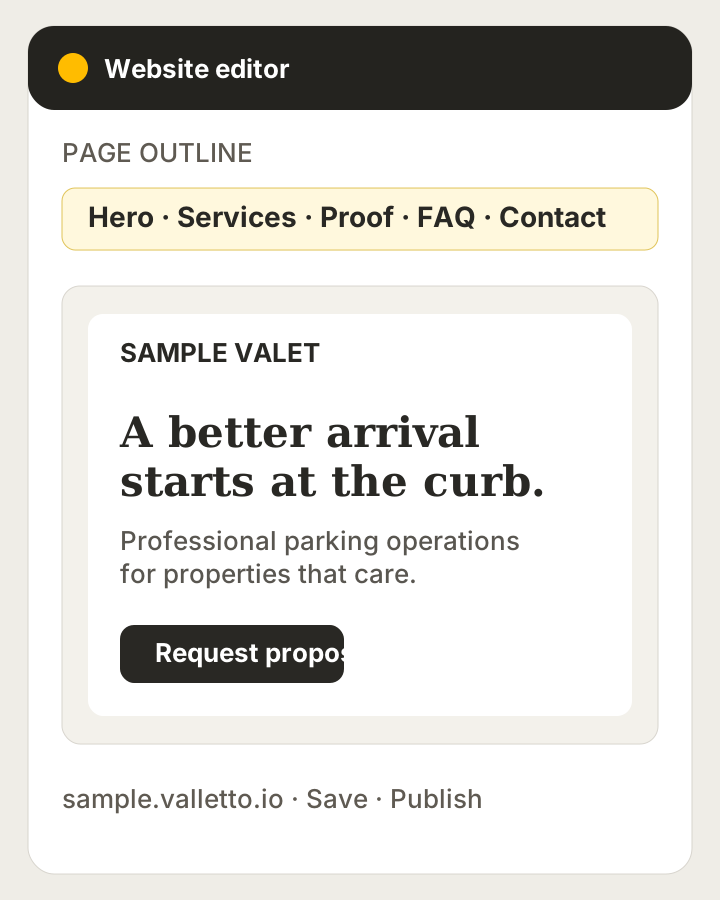
→The operator name and hostname are synthetic. The section outline and preview reflect the current editor structure.
The daily loop
Website copy changes less often than lead work. An operator publishes updates when services, proof, or positioning changes. New Request Proposal submissions appear as website-sourced leads. The team reviews the details, moves the status as the conversation progresses, keeps notes with the record, and archives it when active follow-up is over.
The edge cases
Hero remains first and Contact remains last, preserving a useful page frame even when sections move. Unsaved changes receive navigation protection. A generated Valletto subdomain can work without custom DNS; a white-label custom domain is supported through coordinated DNS and hosting setup, not a self-service switch inside the editor.
What it deliberately does not do
The editor is not an unrestricted code canvas, a domain registrar, or a full customer relationship management system. It does not invent testimonials, customer logos, or performance claims. Leads are a focused inquiry pipeline, not a substitute for every sales automation tool an operator may already use.
What it connects to
Publishing connects the operator's approved brand and section content to a hosted public site. Request Proposal connects that site to company-scoped Leads with source and attribution context. The resulting workflow keeps public demand beside the account that must respond to it.
Next guide
Build deeper integrations carefully.
The API guide explains the capability areas Valletto is designing and the boundaries of today's private preview.
Concrete next step: publish with synthetic form testing, then assign one person to own every new website lead.
